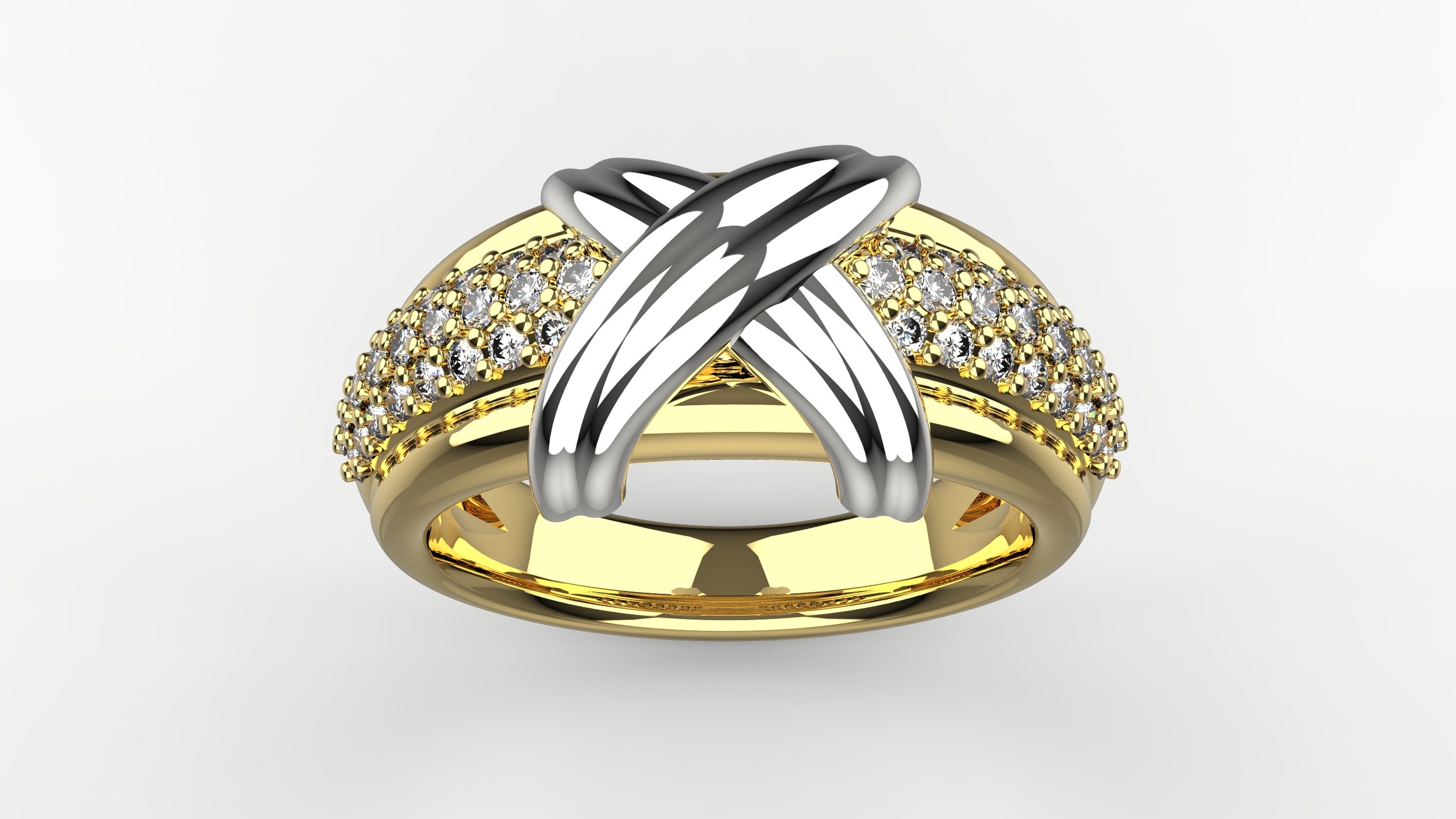
What Is Jewelry CAD? A Practical Guide Using Rhino 3D
Jewelry CAD refers to the use of computer-aided design software to create precise, manufacturable digital models of jewelry. Unlike sketches or renderings, jewelry CAD models are built with production in mind—accounting for scale, tolerances, stone settings, and casting requirements.
This guide explains what jewelry CAD is, how it differs from other forms of CAD, and why Rhino 3D is widely used for professional jewelry design. The focus is practical: understanding jewelry CAD as a tool for real-world production, not just visual design.
What Is Jewelry CAD?
Jewelry CAD is the process of designing jewelry using 3D modeling software to create accurate digital models that can be manufactured. These models are typically used for wax or resin printing, casting, stone setting, and final production.
Unlike illustration or rendering, jewelry CAD requires precision. Every dimension, thickness, and relationship between elements matters. A jewelry CAD model is not just a representation of an idea—it functions as a set of instructions for making a physical object.
In professional workflows, jewelry CAD models are used to:
Create wax or resin prints for casting
Generate technical references for setters and manufacturers
Test proportions and fit before production
Refine designs efficiently without repeated hand fabrication
Because jewelry is small, detailed, and worn on the body, accuracy is critical. Jewelry CAD helps designers control that accuracy from the earliest stage of design.
How Jewelry CAD Is Different from Other CAD
While CAD software is used across many industries, jewelry CAD has unique requirements that distinguish it from other types of CAD work.
Jewelry CAD operates at a very small scale. Millimeters matter, and tolerances are tight. A difference of tenths of a millimeter can determine whether a stone sets properly or a clasp functions correctly.
Jewelry CAD also integrates production constraints early. Designers must consider:
Wall thickness for casting
Stone seat placement and clearance
Structural strength and wearability
Weight and material behavior
This differs from architectural or industrial CAD, where scale is larger and tolerances are often more forgiving.
Jewelry CAD also differs from sculptural or purely artistic 3D modeling. While sculptural tools may produce visually complex forms, jewelry CAD must ensure those forms can be cast, set, finished, and worn comfortably. A visually appealing model is not necessarily a manufacturable one.
Why Rhino 3D Is Widely Used for Jewelry CAD
Rhino 3D is widely used in jewelry design because it combines precision with flexibility. It allows designers to work accurately at small scales while supporting a wide range of modeling approaches.
Rhino’s NURBS-based modeling system is well suited for jewelry because it enables:
Precise curve and surface control
Accurate measurements and tolerances
Clean geometry suitable for manufacturing
Rhino also supports hybrid workflows. Designers can combine traditional surface and solid modeling with SubD modeling for more organic forms, then convert those forms into production-ready geometry.
Because Rhino is widely adopted in the jewelry industry, designers can collaborate more easily with manufacturers, setters, and production partners who are familiar with Rhino-based workflows.
From Design to Production: Why “Production-Ready” Matters
A key concept in jewelry CAD is production-ready design. A production-ready model is one that can move through casting, stone setting, and finishing without requiring major corrections.
Many beginners focus on how a model looks on screen. In practice, successful jewelry CAD considers how the piece will be made and worn. This includes:
Adequate thickness for structural integrity
Proper stone seat geometry for secure setting
Clearances that allow tools and hands to work
Shapes that support polishing and finishing
A model that ignores these factors may look good digitally but fail during production. Jewelry CAD bridges the gap between design intent and physical reality.
Common Beginner Mistakes in Jewelry CAD
When learning jewelry CAD, beginners often encounter similar challenges.
A common mistake is ignoring stone setting requirements. Stones require proper spacing, clearance, and seat geometry. Without this knowledge, designs may not be settable.
Another frequent issue is incorrect wall thickness. Thin areas may deform during casting, while overly thick areas can increase weight and cost unnecessarily.
Some beginners treat CAD like illustration—adding excessive detail without considering how those details will be cast or finished. In jewelry CAD, simplicity and clarity often lead to better results.
Finally, many learners underestimate the importance of modeling logic. Clean construction, organized geometry, and consistent workflows make designs easier to modify, repair, and manufacture.
How People Learn Jewelry CAD
People learn jewelry CAD through a variety of paths. Some begin by exploring software independently, while others pursue structured instruction.
Self-learning can be effective for exploration, but structured learning often helps designers understand foundational principles more efficiently—especially production considerations that are not obvious from software tutorials alone.
Many designers start with core jewelry CAD fundamentals and later specialize in areas such as signet rings, stone setting, organic modeling, or functional components like clasps.
Regardless of the path, learning jewelry CAD effectively requires both technical skill and an understanding of how digital models translate into physical jewelry.
Is Jewelry CAD Right for You?
Jewelry CAD is used by a wide range of people, including jewelry designers, goldsmiths, career changers, and students preparing for professional work.
It can be especially valuable for designers who want greater control over their designs, reduce reliance on outsourcing, or collaborate more effectively with manufacturers.
Jewelry CAD requires patience and precision. It involves creativity, but also problem-solving and an understanding of materials, processes, and constraints.
For those interested in the technical side of jewelry design and production, jewelry CAD can be a powerful and rewarding skill.
Conclusion
Jewelry CAD is a practical tool for designing jewelry that can be made, worn, and produced reliably. It combines digital precision with an understanding of materials, production, and craftsmanship.
Rhino 3D is widely used in jewelry CAD because it supports accurate, flexible, and production-focused workflows. When learned with manufacturing in mind, jewelry CAD allows designers to translate ideas into physical jewelry with confidence.
If you want structured training in jewelry CAD using Rhino 3D, you can explore my courses to learn more about building production-ready jewelry models.